Describe it once. It does the work every time.
Describe the job once. Its first send waits for your approval; once you always allow it, the agent runs on its own.
The window plays by itself.
From one sentence to a task that runs itself.
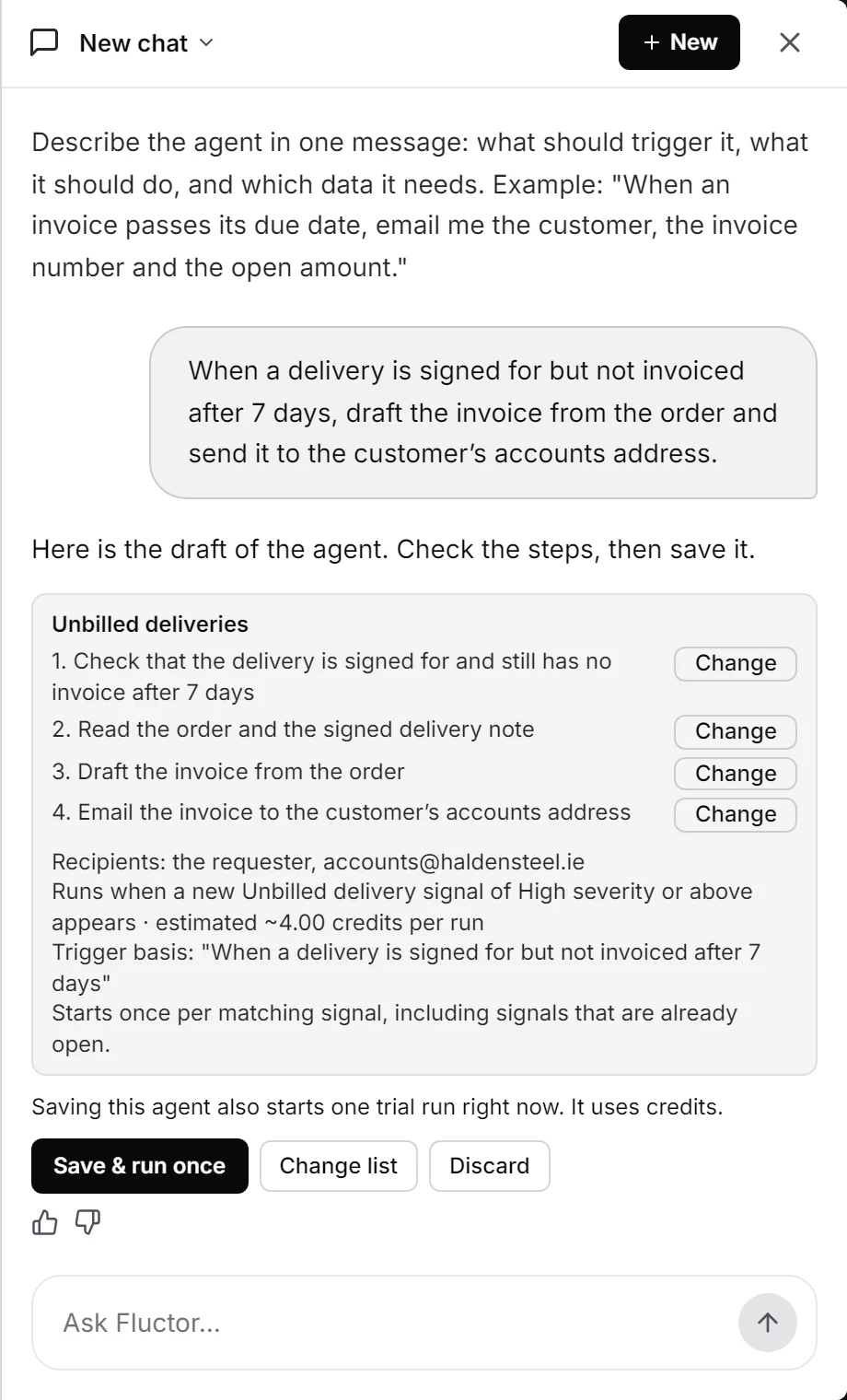
Describe
Say what should happen and when, in your own words. Or click Automate this on a signal.
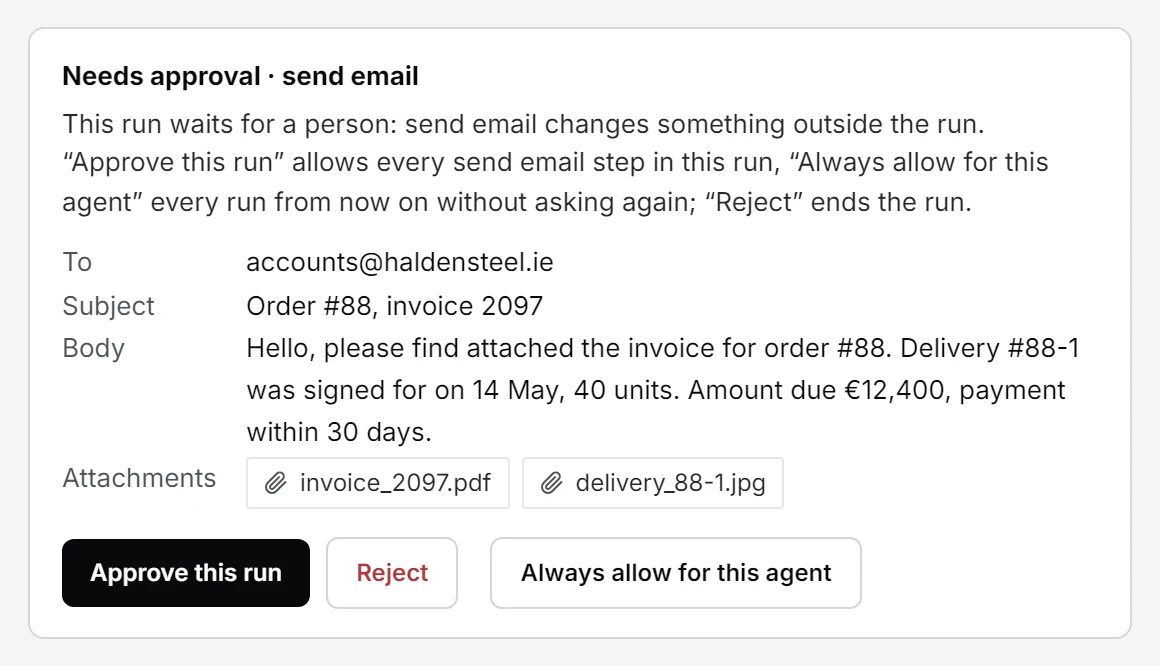
Approve
The first send waits for your approval: Approve this run, or Always allow for this agent.
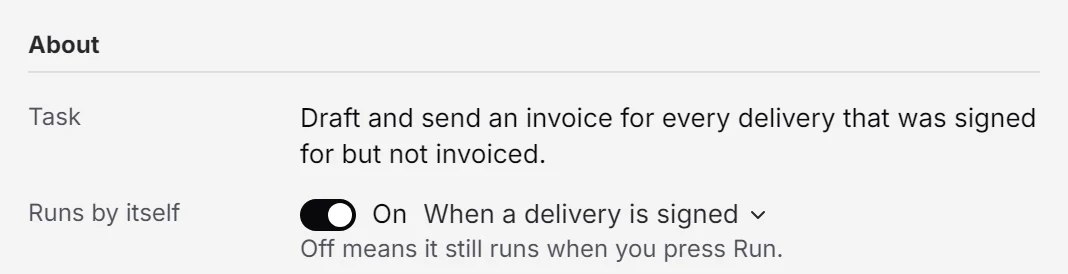
Run
Once allowed, it starts by itself. Any other step that changes something outside the run still asks.
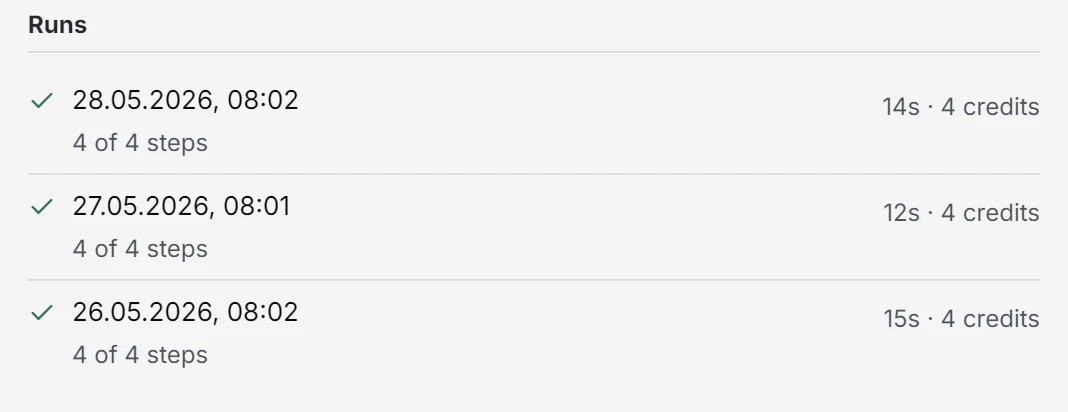
Review
Every run keeps its steps, its sources and its cost, to read back at any time.
What an agent can do.
Starts when the work does
Run an agent on a schedule, when a matching email arrives, when a signal comes up, or when another system calls it. Or start it by hand.
Uses what fluctor knows
An agent reads the company memory and the open items, writes documents and drafts emails. Every email goes out through a mailbox you connected.
Recipients you name
List the addresses or whole domains an agent may email, or allow anyone. An empty list means it cannot send email at all.
Cost you can see
Set a credit limit per run. Each agent shows the estimate made when it was created, then the average of its latest runs.
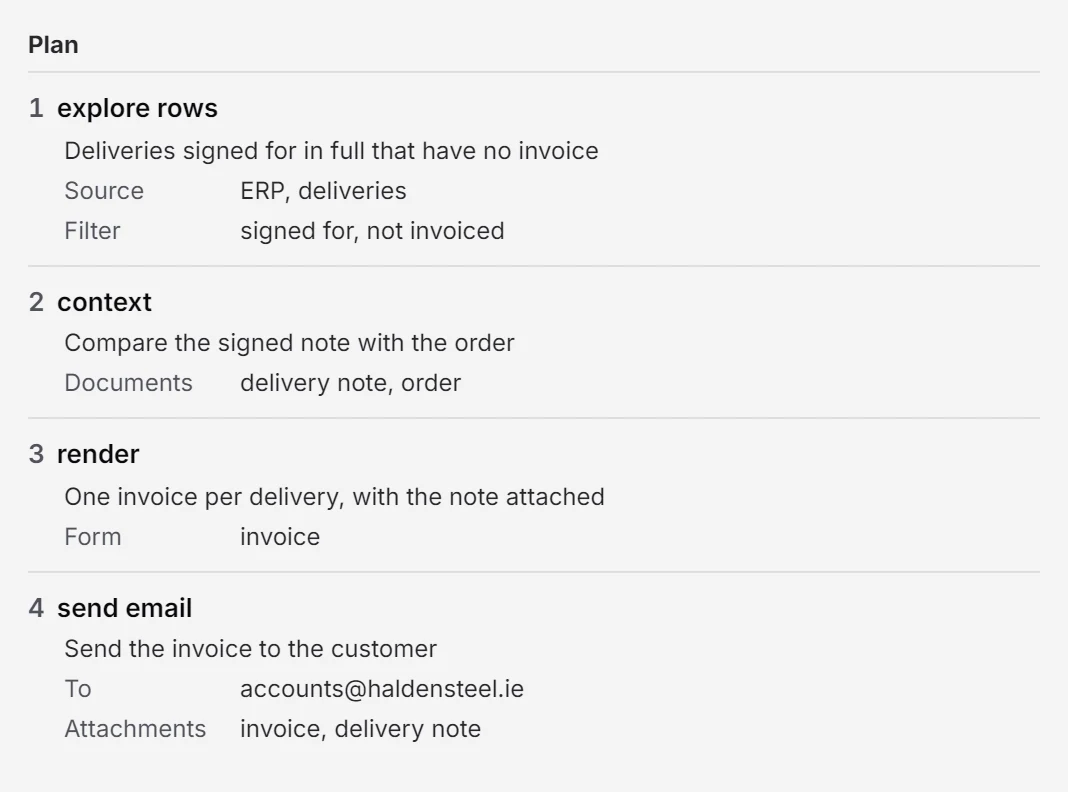
Free, strict or in between.
The first run decides freely and records the plan it followed. From then on, Strict replays that plan exactly, Only on error hands over from the step that failed, and Free lets the agent decide each time. You set the mode per agent and change it whenever you like.
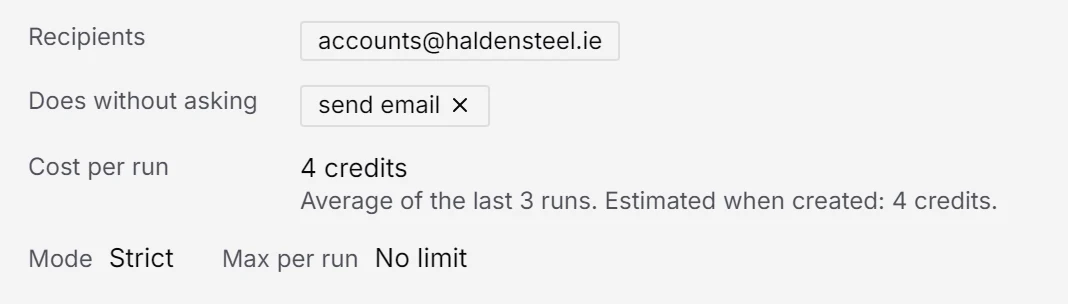
The first send waits for you.
Approve this run and only this run goes out; the next one asks again. Always allow for this agent and it sends on its own from then on. The permission is listed under Does without asking, and one click on × takes it back. Reject ends the run.
Your data stays yours.
Hosted in the EU or on your own servers. An agent emails only the recipients you named, and every run is logged.
- EU hosting
- Your own servers
- GDPR & DPA
- No training on your data
- Every answer with its source
- Activity log
See fluctor on your own documents.
A demo of an agent doing one of your own tasks, on your real inbox and files, not on slides.